
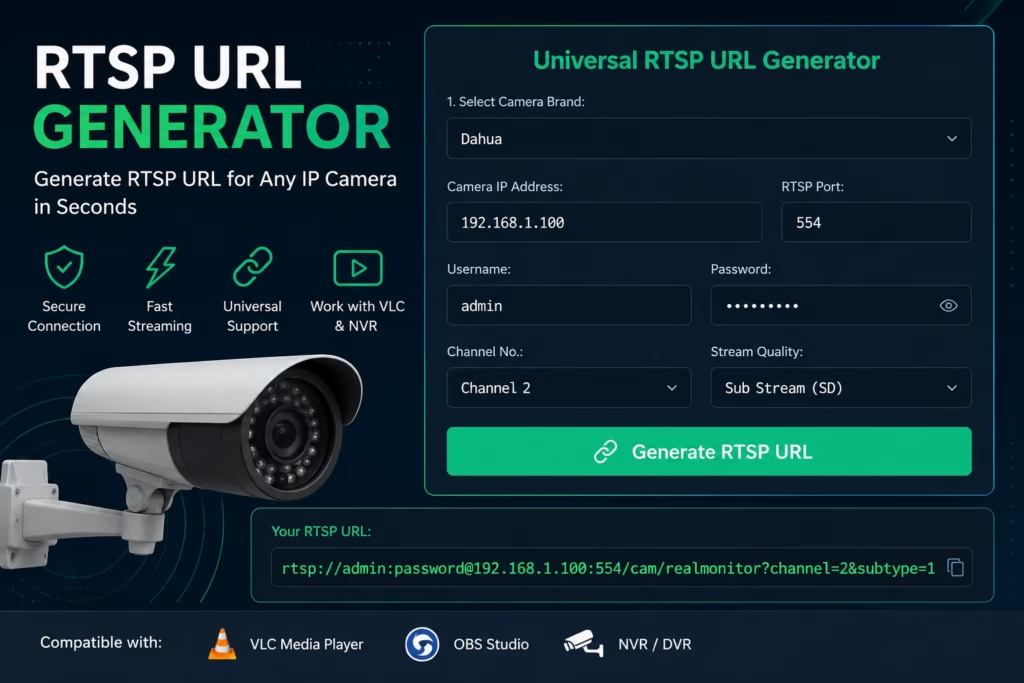
An RTSP URL Generator is a simple tool that takes your IP or CCTV camera’s IP address, username, and password, and spits out a working RTSP URL. You might wonder, why do you actually need this? Well, if you want to stream your camera feed directly on a media player (like VLC) or hook it up to a universal VMS (like Blue Iris, Agent DVR, or Home Assistant), this URL makes it incredibly easy to do.
Universal RTSP URL Generator
How to Use the RTSP URL Generator?
Finding the correct streaming link for local PC integration shouldn’t involve endless manual trials. Follow these simple steps to configure your feed:
Retrieve Local Details
RequiredFind your camera’s local IP address (typically starts with 192.168.x.x) and your RTSP login credentials from your NVR or manufacturer mobile app.
Configure the Tool
Generate LinkSelect your brand from our dropdown, input your IP and credentials, choose your channel (usually 1 for single cameras), and click Generate RTSP URL.
Test and Stream
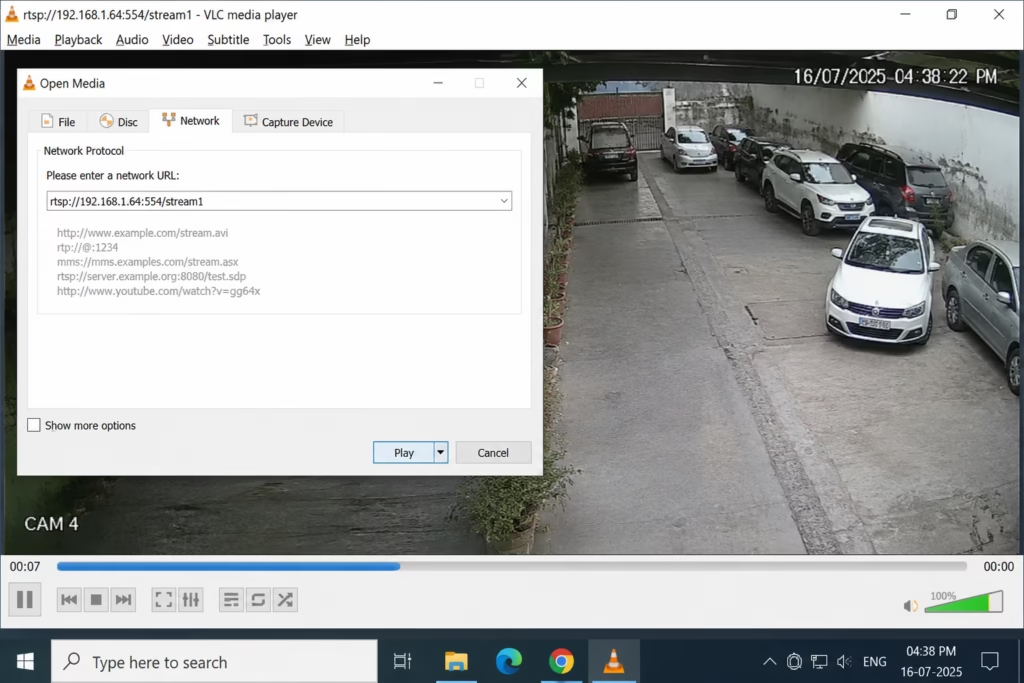
VerificationCopy the generated link and test it inside a compatible media engine like VLC Player (Media -> Open Network Stream -> Paste link) to verify the live feed.
Common Local RTSP Troubleshooting Tips
Port Conflict: If your stream fails to open, verify if port 554 is open on your network. Foscam models often use port 88, while customized setups might assign 8554.
- Wrong IP Target: Dynamic IP addresses can change when your router reboots. For stable PC streaming, assign a Static IP to your camera via your router DHCP settings or the camera configuration software.
- Specialized Protocols: Battery-powered cameras (like Blink, Ring, and certain Eufy/Reolink models) sleep when idle and do not support continuous RTSP natively without active middleware or bridges.
Final Words
An RTSP URL Generator is a simple tool that takes your IP or CCTV camera’s IP address, username, and password, and spits out a working RTSP URL. You might wonder, why do you actually need this? Well, if you want to stream your camera feed directly on a media player (like VLC) or hook it up to a universal VMS (like Blue Iris, Agent DVR, or Home Assistant), this URL makes it incredibly easy to do.
FAQs
What is the default port for RTSP stream transmission?
The standard default port for RTSP streaming is 554. Almost 90% of security camera brands use this port. However, some exceptions exist; legacy Foscam cameras often stream over port 88, while custom network setups might use port 8554.
How can I test if my generated RTSP URL actually works?
The easiest way to test your stream is using VLC Media Player. Open VLC, go to Media > Open Network Stream (or press Ctrl+N), paste your generated RTSP URL into the network URL box, and click Play. If the stream is correct and reachable, the live camera feed will load in 2-3 seconds.
Why does my RTSP URL fail to connect outside my home network?
RTSP URLs using local IP addresses (typically starting with 192.168.x.x) only work when you are connected to the same local Wi-Fi or router network. To access the stream from outside your home, you must either set up a local VPN (highly secure) or configure Port Forwarding (Port 554) on your router, pointing to your camera’s static IP.
Do battery-powered security cameras support local RTSP streams?
Generally, no. Battery- or solar-powered cameras (like Ring, Blink, and standard Eufy or Reolink battery models) are designed to sleep when there is no motion to save power. They do not support continuous local RTSP streaming natively unless configured via active middleware or custom bridges.
What is the difference between Main Stream and Sub Stream?
The Main Stream delivers the camera’s maximum resolution (like 4K, 5MP, or 1080p) and high frame rates, which is ideal for quality video recording. The Sub Stream streams a lower resolution (typically 360p or D1) that uses minimal network bandwidth, making it perfect for multi-camera grids or viewing on mobile over cellular data.