

Here we are about to discuss the CP Plus IP finder for Windows 7/8/10/11 & Mac clients. The complete installation and setup procedures are defined here.
CP Plus IP Finder software helps you find the IP address of the CP Plus CCTV camera as well as modify the IP address of your CCTV camera. Get here to learn more about the CP Plus IP Finder software.
CP Plus IP Finder is the software that helps you to manage your device’s IP on a PC.
With CP Plus IP Finder download it is easier to find, modify, and change the IP address of the CCTV camera. Here, we will learn about the CP Plus IP Finder tool’s functions to know how they work on PC.
Download CP Plus IP Finder for PC (Windows and Mac)
If you need to find or configure CP Plus devices on your computer, you can download CP Plus IP Finder for Windows or Mac from the link below. Choose the version that works with your system, download the setup file, and install it to start discovering compatible CP Plus devices on your network. So we can proceed after CP Plus IP finder download.
Testing & Compatibility Notes:
Last verified: December 2025
- ✔ Tested on Windows 10 & Windows 11
- ✔ Works with common CP Plus IP cameras
- ✔ Verified on typical home and office networks
Note: Results may vary based on router model and network configuration.
CP Plus IP finder for Windows
CP Plus IP Finder for Windows is a handy network utility designed to locate CP Plus IP cameras and other compatible devices on your local network. It lets you quickly pinpoint camera IP addresses without having to dig through your router settings.
You can grab the download link for CP Plus IP Finder below. It supports Windows 7, 8, 10, and 11, making it easy to scan your network and locate all your connected CP Plus devices.
CP Plus IP Finder for Mac
CP Plus IP Finder for Mac is a handy network utility for locating CP Plus IP cameras and other compatible devices on your local network. It takes the hassle out of finding a camera’s IP address by eliminating the need to dig through your router settings.
You can grab the download link for CP Plus IP Finder for Mac below. It lets you quickly scan your network and locate all your connected CP Plus devices right from your Mac.
CP Plus IP Finder (Windows 8/10/11 & Mac OS)

CP Plus is one of the leading CCTV camera brands in the market today. CP Plus provides its clients with CP Plus IP Finder Software to manage the IP addresses of CCTV cameras.
With this software, you can manage the IP addresses of multiple CCTV cameras from other segments.
After downloading the software on your computer, let’s move on to the next step.
The downloaded file is in a compressed format so we need to extract the setup.
For Windows, right-click on the downloaded file then extract the file to your desired location, and for Mac, just open the file. Now move to the first step of the CMS Application.
What is the CPPlus IP Finder?
CP Plus Finder is the best software to find, modify, and filter all kinds of CP Plus devices and cameras IP addresses.
This software is developed by CP Plus company to help users find their CCTV camera’s IP address.
With the software, you can download the CP Plus IP Finder for PC here without any problem. This software will help you to check and modify the IP addresses of CP Plus devices.
CP Plus IP Finder tool (Windows and Mac OS)
Get the CPPlus IP Finder here and start installing the software on your PC.
Above is the download button given to get the app. Click on the link below to begin downloading the CP App for Mac and Windows PCs.
The downloaded file will be in compressed format, and before using the product record you have to extract the archive file. You may use WinRAR or some other programs to extract the arrangement of CP Plus IP Finder for Windows and Mac.
Features of CP Plus IP Finder
Here we are going to learn about the features of the CP Plus IP Finder for PC.
Know more about the software functions and get to know about the functions it provides.
The CP Plus App is a free software employed on Microsoft Windows 7/ 8/ 10/11 PC. The features of CP Plus for Windows are as follows:
- It helps to find the IP address.
- Helps to modify the IP address.
- With this software, you can search by segment as well.
- Helps to set up initialized as well as uninitialized CP Plus devices.
- Helps in viewing cameras
- Can modify IP addresses in bulk as well.
Method for CP Plus IP Finder tool – Installation & Configuration on a Windows PC
Now download the CP Plus IP Finder from the above link provided to you.
Now the file will be downloaded to your system in a compressed format and you have to extract the download file by using an extraction software like WinRAR or some other software.
1. Step # Installation of CP Plus IP Finder
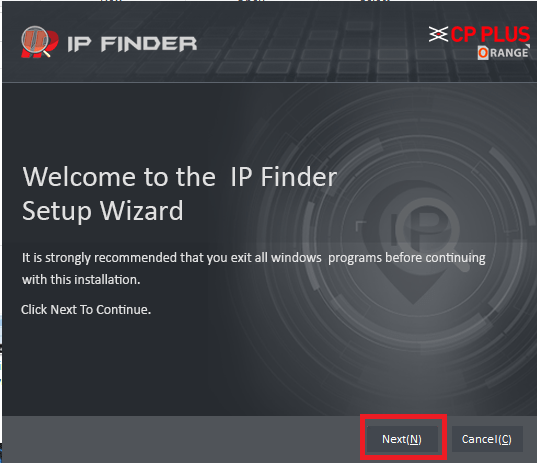
Now, after extracting the folder, open the extracted folder and click on the application to start, and a window will open to start the installation of the software by clicking on the “Next” button.
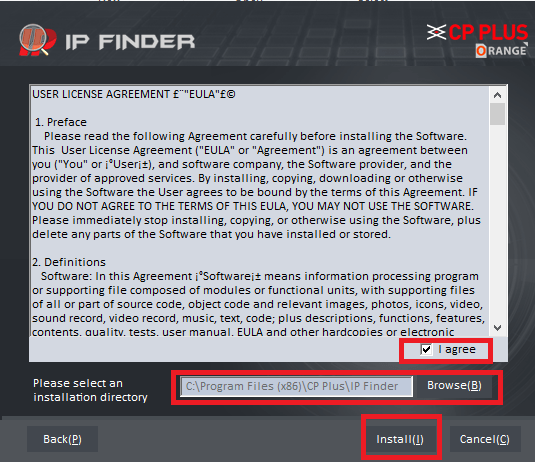
Here is the next step, select the option “I agree” option.
Now select the installation directory where you want to install the software files and click on the “Install” button.
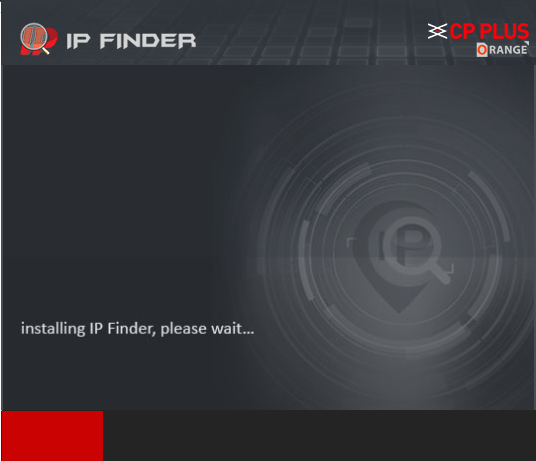
The installation process will begin; wait for the process to be completed.
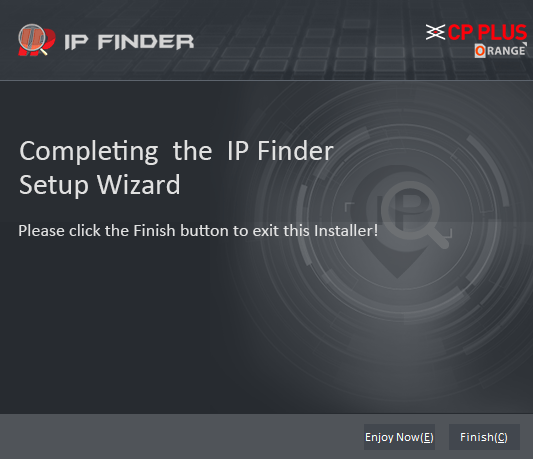
The software installation process is now completed; click on the “Finish” button.
Now start the application of the CP Plus IP. The Windows Firewall alert will prompt; you have to select the checkbox to enable the firewall to allow the software to use certain features and click on the “Allow access” button.
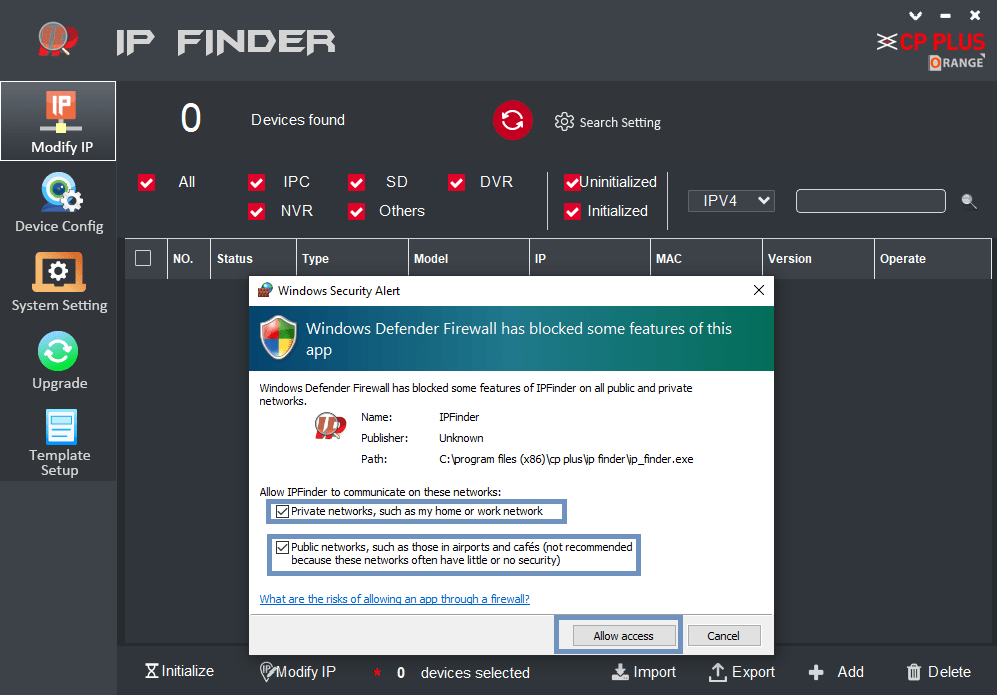
You can see the home screen of the CP Plus CMS App.
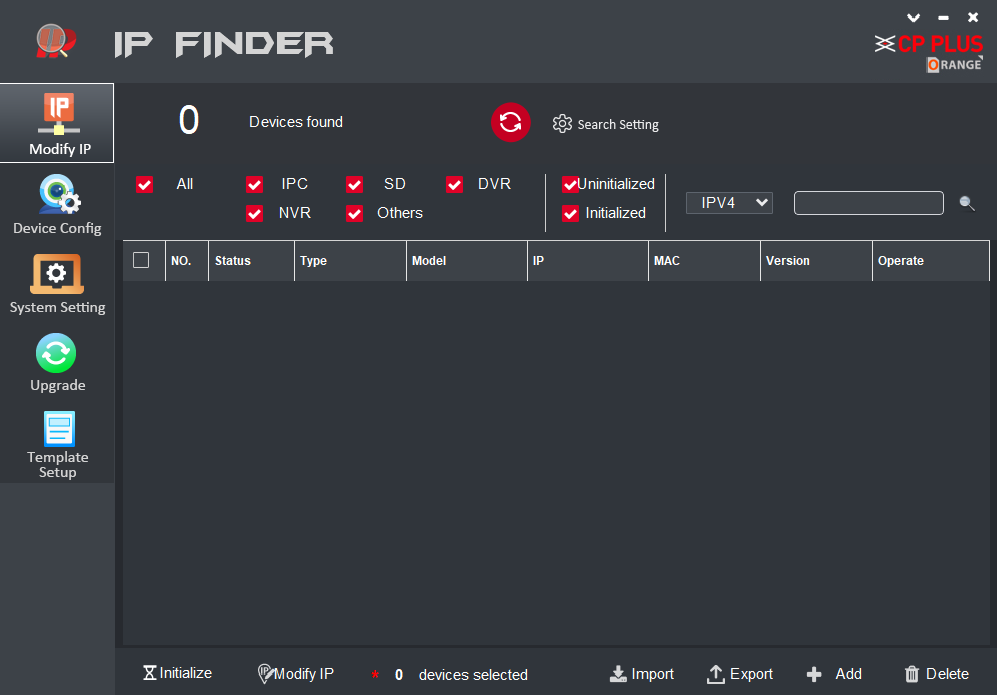
CPPlus IP Finder: Find Cameras on Your Network
Here, we are going to discuss the process of finding and modifying the IP address of devices on CP Plus IP Finder. Open the CP Plus IP Finder software.
1. Step # Find the IP address of the devices
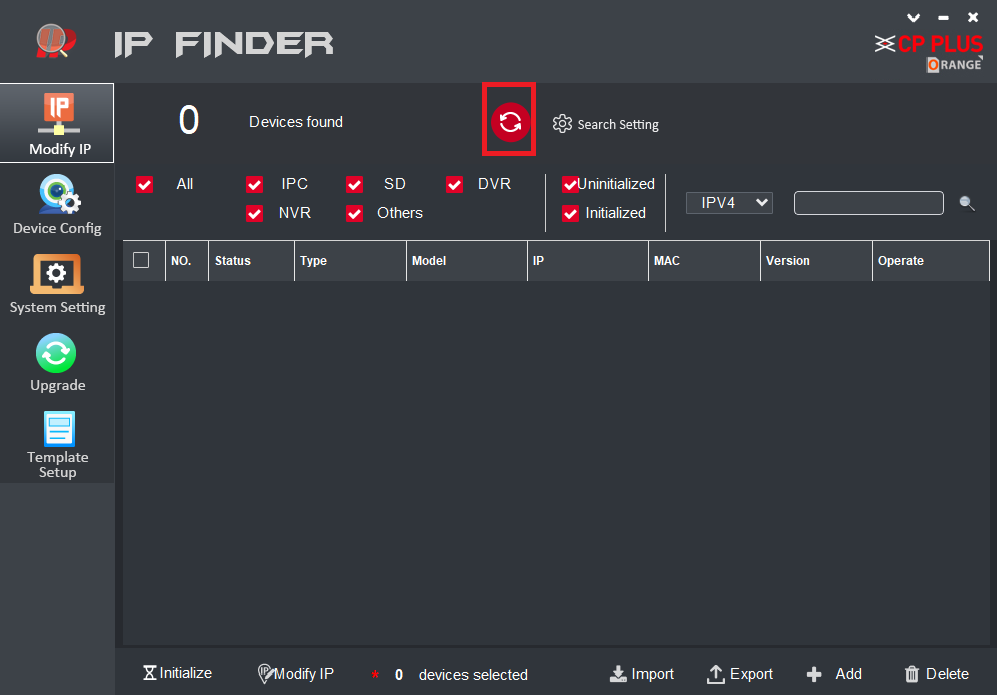
After opening the software, click on the refresh button as shown below.
The list of the devices will appear as shown below.
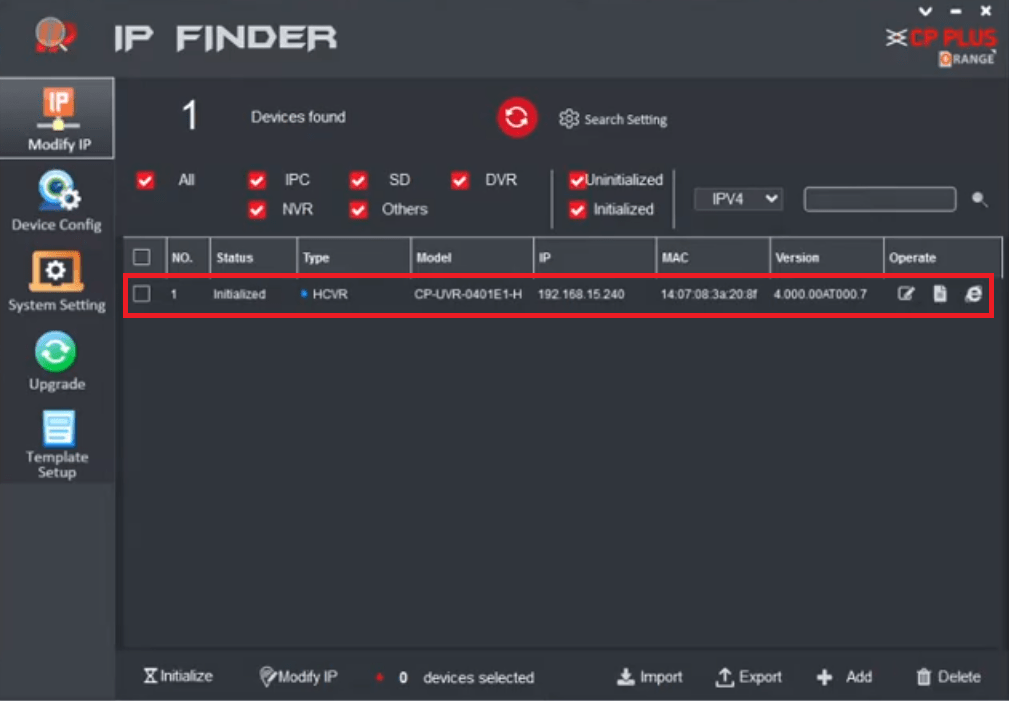
2. Step # Change the IP address of the device
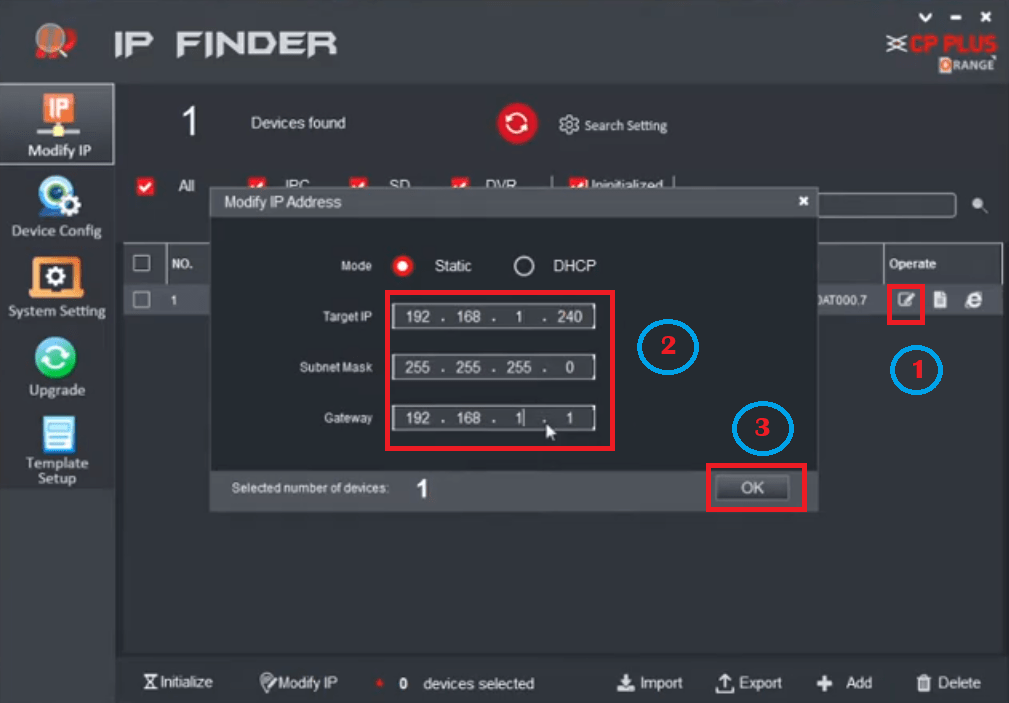
Now click on the icon as shown below to enter and change the IP address. Then click on the “OK” button.
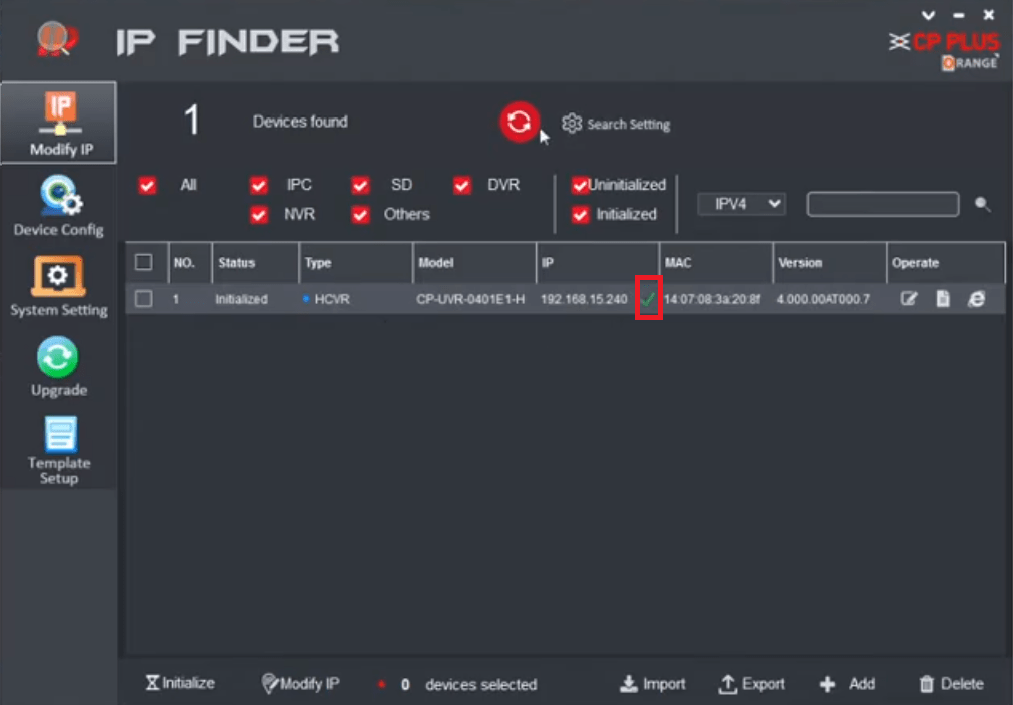
Now you can see that a green check mark will appear near the listed IP address.
Conclusion
CP Plus IP Finder is a very good software to find, modify, and connect bulk CCTV cameras on your PC.
It has many features like finding the IP address of CCTV cameras, modifying the IP address, opening CCTV cameras, changing the device addresses, and so on.
This is the free software provided by CP Plus. Enjoy it on your PC.
So this is all about this app.
We hope this information is helpful to you.
If you have any queries or suggestions regarding the CCTV on your PC, please feel free to write to us in the comment box below.
Thank you for visiting us. Have a great day.
Thank You.


Thanks for sharing the CP Plus IP Finder download link! I’ve been looking for a reliable tool to manage my IP cameras, and this looks perfect for my Windows setup. Appreciate the detailed instructions as well!
I really appreciate this post! The CP Plus IP Finder tool has been a lifesaver for managing my security cameras. The downloading process for Windows was smooth, and it works perfectly on my Mac as well. Thanks for sharing this valuable resource!
Great post! I’ve been looking for a reliable IP finder for my security cameras, and it’s awesome to see that CP Plus offers a free version. Thanks for sharing the download information for both Windows and Mac!
Thanks for sharing this! I’ve been looking for a reliable tool to manage my CP Plus IP cameras. The fact that it supports multiple Windows versions and Mac is a huge plus. Can’t wait to try it out!
Thanks for sharing the CP Plus IP Finder download link! It’s been really helpful for setting up my security cameras. I appreciate the clear instructions too!
Great insights on the CP Plus IP Finder! I appreciate the detailed instructions for downloading and setting it up on both Windows and Mac. This will definitely make managing my security cameras easier. Thanks for sharing!
Thanks for sharing this! I’ve been looking for a reliable IP finder for my Windows and Mac devices. Can’t wait to try CP Plus and see how it works!
Thanks for sharing the CP Plus IP Finder download links! I’ve been searching for a reliable tool to manage my CCTV cameras, and this seems perfect for my Windows 10 setup. Looking forward to trying it out!
Thanks for sharing this! I’ve been looking for a reliable IP finder for my camera setup. Can’t wait to try CP Plus on my Windows 10. Appreciate the download link!