
If you use Hikvision cameras and systems for your business and home, and want to monitor them on PCs, you require Hikvision Software for PC.
There are various types of Hikvision CCTV software designed to manage and monitor Hikvision systems on computers. We will explore them here. The post will help you know about these CCTV apps and select the best one for Hikvision cameras in a given situation.
Viewers find it tough to select the appropriate software for Hikvision CCTV Devices. They struggle on the following counts.
- How to connect and find CCTV cameras on a PC for monitoring.
- How to manage multiple Hikvision CCTV devices through a CCTV App.
- How to resolve and fix device addition errors
- How to select which software to use for a CCTV system.
In fact, Hikvision does not use just one software. Instead, it has multiple CCTV apps, and they are all designed to fulfil a specific job.
Here, the complete guide will help you understand everything.
IVMS 4200

Hik Connect

Sadp Tool

Batch Configure
Hikvision DVR
A Deep Analysis of Hikvision Software Ecosystem
We must understand the Hikvision CCTV Devices before selecting an appropriate CCTV Software. CCTV systems follow a technical pattern in the following form.
Unlike simple apps, CCTV systems involve –
- Device discovery – Devices are discovered automatically or manually.
- Network configuration – The understanding of the network and its ecosystem are must for configuration.
- CCTV Monitoring – Monitoring locations and sites via LAN or online.
- Storage – Recording of events and playback systems.
- Remote access – Accessing Hikvision systems from anywhere on PCs.
That is why Hikvision provides multiple software tools.
Why Do We Need to Pick the Right Software?
If we use the wrong CCTV App for our Hikvision CCTV Systems, we may face the following challenges.
- We may encounter the ‘device not detected’ problem.
- We may encounter login errors.
- We may encounter connection failure issues.
Complete List of Hikvision Software for PC
The key Hikvision software and tools are the following.
| iVMS-4200 | Its key use is monitoring & control | Easy to use for beginners |
| Hik-Connect | Its key use is remote viewing | Easy to use for beginners |
| SADP Tool | Its key use is Hikvision device discovery | Easy to use for beginners |
| Batch Tool | Its key use is the device’s bulk configuration | Medium level difficulty for beginners |
| Firmware Tool | Its key use is to update device firmware. | Medium level difficulty for beginners |
1 – iVMS-4200 for PC (Main Monitoring Software)
iVMS-4200 is the most important software in the Hikvision ecosystem. The iVMS-4200 is a video management system from Hikvision. It is designed to manage and monitor CCTV devices on a PC. It is equally useful in surveilling our businesses and homes. Through it, we can manage IP cameras, DVRs, and NVRs.
This application offers us live footage of events without any time lag. It supports device operation from remote areas. We can manage CCTV devices, their positioning, playbacks, object tracking, and two-way communication through the iVMS-4200.
The application easily integrates through the Hik-Connect and gives us access to our devices from anywhere. Its reliability, flexibility, and wide compatibility make it one of the most popular choices for managing Hikvision-based surveillance systems on a computer.
Why is it important?
This iVMS-4200 app is highly regarded and used.
It provides users with the following key features.
- Users can view live cameras from any remote location.
- You can watch playbacks and take snapshots from anywhere.
- Users can manage multiple devices at a time.
- It detects motion and auto-tracks objects. It issues alert notifications sensing threats.
Key Features for the iVMS-4200
- It gives a multi-screen live view. There is no time lag.
- It supports playback with a timeline.
- It issues an alarm notification.
- Storage management
The Step-by-Step Setup Process for the iVMS-4200
- Download iVMS-4200 – Get the application by pressing the download button.
- Install software – Run the link to install the software.
- Open Device Management – Open it to configure the software.
- Add a device using IP or serial number – You can easily add devices.
- Start live view
Detailed tutorial: iVMS-4200 for PC
2 – Hik-Connect for PC (Remote Viewing Solution)

Hik-Connect is designed for remote access. Hik-Connect is a CCTV app by Hikvision. It is supposed to be the most used security app in the world. It is primarily used for remote monitoring. It offers its users and owners access to their CCTV cameras, DVRs, and NVRs at any time and from anywhere. You just require an internet connection.
It helps users with real-time live viewing, remote surveillance, device management, two-way audio, auto-track feature, motion detection, etc., among other monitoring features. In fact, this app is rich in security features.
It easily adds devices by scanning the QR code, device serial number, or device IP address. It also supports cloud-based connectivity. Through this software, users can manage multiple devices simultaneously.
Hik-Connect Features
- This app allows cameras to get access from anywhere or any location.
- This application works wonderfully well with the cloud system.
- This application syncs with the mobile app.
When should you use it?
- Whenever you want remote monitoring on PCs or mobile phones.
- When you are outside your network.
Full guide: Hik-Connect for PC
3 – SADP Tool (Device Detection & Activation)
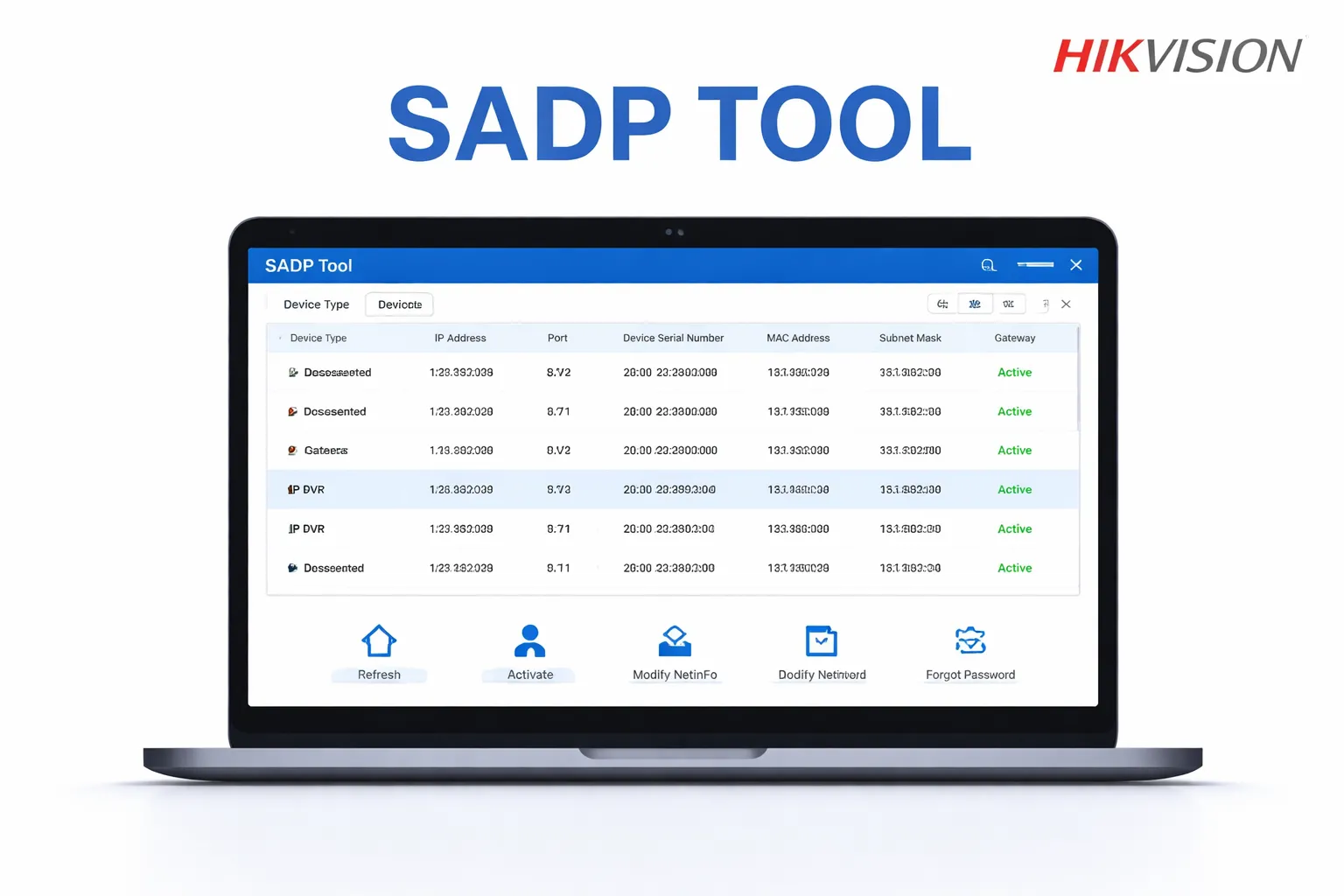
SADP Tool is one of the most important tools during setup. SADP Tool (Search Active Devices Protocol) is a powerful configuration tool for Hikvision devices. It is a lightweight and essential utility tool. It is designed and developed to discover and manage Hikvision CCTV devices on a local network.
This Config Tool is used by integrators, technicians, and CCTV system owners. It easily and quickly detects Hikvision IP cameras, DVRs, and NVRs. It is a simple tool which can be easily managed by beginners.
It scans devices, modifies device IP addresses, recreates passwords, updates firmware, etc.
Functions & Features
- It detects all Hikvision devices. You just have to connect the device through a LAN.
- Users and integrators can activate new cameras and discover or modify their IPs.
- You can reset the password and update the firmware.
- You can change the IP address, scan added devices, and manually connect them.
Without this config tool, Hikvision device setup becomes difficult.
Download the Hikvision SADP Tool to update devices.
Download: Hikvision SADP Tool
4 – Batch Configuration Tool (For Professionals)
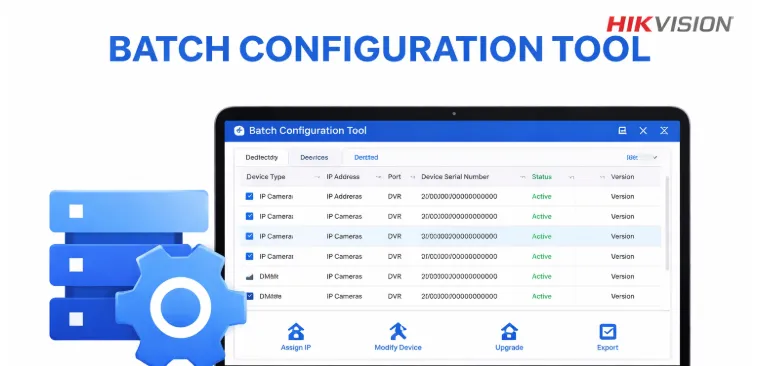
If you have to manage many cameras or CCTV devices at a time, then this Batch Tool is highly useful. If you have to manage many cameras or CCTV devices at a time, then this Batch Tool is highly useful. It is designed to manage multiple devices at once.
Users can scan devices in batches. They can modify IP addresses, upgrade software, and firmware. This tool is useful for integrators and system administrators for operating large-scale CCTV systems.
The batch configuration of IP cameras, DVRs, and NVRs is possible on the same network. The tool can assign IPs, manage device settings, and update devices in batches. It is the best solution for large-scale projects.
How is This Tool Useful?
- This tool is extremely useful for professionals and installers
- It is highly recommended for CCTV businesses and Users
- If you are going for a large setup, use this tool to manage and maintain devices.
Hikvision Batch Configuration Tool – Complete Guide
5 – Firmware Tool ( For Maintenance)
The updated device performs smoothly. It updates and maintains the firmware and software of the CCTV device. Hikvision Firmware Tool is a specialised utility tool designed and developed by Hikvision. It is used to manage firmware updates and recovery processes for CCTV devices.
This tool is essential and important in maintaining the performance, stability, and security of surveillance systems, including IP cameras, DVRs, and NVRs.
It is also useful in removing bugs, fixing compatibility, and improving device performance. It works within the ambit of the local network and doesn’t require an internet connection for functionality.
How Can We Benefit from the Batch/Firmware Configuration Tool?
We can make our Hikvision devices updated and improve their performances through the Batch Configuration Tool.
- It is used as a firmware updater.
- We can reset the password of the device through it.
- It is used to set up the FTP (File Transfer Protocol).
These tools help fix errors and improve performance.
Hikvision Firmware Update Tool – Complete Guidance
6 – Hikvision DVR Software
This software is used to connect DVRs of the Hikvision to the computer or laptop. This is the official software provided by the company. This is available for Windows PC as well as Mac PC.
For more details, please check: Hikvision DVR for PC
System Requirements for Software (Detailed)
To run Hikvision software smoothly, we prefer the following systems.
| Operating System | Windows 11/10/8/7 |
| Random Access Memory (RAM) | 4GB minimum (8GB recommended) |
| System Processor | Dual-core or higher |
| Storage Capacity | SSD Recommended |
How to View Hikvision Camera on PC
There are three main methods:
Method 1: iVMS-4200 – This system is the best for full system control and comprehensive monitoring.
Method 2: Hik-Connect – This software is the best for remote viewing. It is designed for remote surveillance for Hikvision devices.
Method 3: Direct Ethernet Connection – It is ideal for quick setup within a possible device connectivity range.
Full guide: How to view Hikvision camera on PC
Common Hikvision Errors & Solutions
Very often we encounter issues of these natures.
Error 153 – This problem arises when there are login or network issues. To resolve the issue, check if the network is online. Also, check the device username and password.
Connection Failed – It occurs due to an internet or port problem.
Device Offline – IP mismatch or network failure
Select the Right Software
Among the Hikvision Software, select the most appropriate software as per your requirements.
- For a comprehensive monitoring of your homes and businesses – iVMS-4200
- For easy and mobile remote viewing, the best option for viewers is Hik-Connect.
- To update or setup the Hikvision device – SADP Tool.
- For Bulk configuration of CCTV Devices → Batch Tool
Advanced Tips for Users and Integrators (Pro Level)
Keep in mind these small hacks for a seamless, smooth performance of Hikvision devices.
- Use a LAN cable instead of a WiFi connection.
- Assign a static IP.
- Keep the device firmware updated.
- Avoid duplicate IP. It may create an IP conflict.
Secure the Hikvision System
Security is very important. Secure your CCTV systems with these measures.
- Change the default password. Create a new password that is strong.
- Use a strong username and password. The credentials must be safe.
- Don’t expose all the ports. Disable unused ports.
- Enable encryption.
Conclusion
The Hikvision Software for PC is detailed and illustrated. There are different software for different requirements. It may confuse a naive user or integrator. This post guides you regarding the best software to use in different circumstances.
By understanding each tool and using it correctly, you can turn your PC into a complete surveillance system.
Kindly share queries and suggestions in the comment section.
Thank You.
Can I use Hikvision cameras on a PC?
Yes, you can use Hikvision cameras on a Windows PC using official software like iVMS-4200 or Hik-Connect. These tools allow live viewing, playback, and device management.
Is Hikvision software for PC free to download?
Yes, it is completely free software provided by Hikvision for managing their surveillance devices.
Which is the best Hikvision software for PC?
It is the best software is iVMS-4200. It is the official Hikvision CMS software that supports live view, playback, and multiple camera management.
How do I view the Hikvision camera on my computer?
Yes, you can use Hik-Connect to access your cameras remotely via the internet on your PC or browser.
Can I access Hikvision cameras remotely on PC?
Yes, remote viewing is possible by connecting your system with Hik-Connect or configuring port forwarding.
What is Hik-Connect for PC?
Hik-Connect is a remote access platform by Hikvision that allows users to view and manage CCTV devices like cameras, DVRs, and NVRs from anywhere using the internet.
How can I use Hik-Connect on a PC?
Follow the following steps. Logging into Hik-Connect via a browser, then using the iVMS-4200 software. After that, run the mobile app through an Android emulator for PCs.
Do I need internet for Hik-Connect?
Yes, an active internet connection is required for remote access. However, local viewing can work without the internet if devices are on the same network.
Is Hik-Connect free to use?
Yes, Hik-Connect is completely free for remote monitoring and basic device management.
Is Hik-Connect secure?
Yes, Hik-Connect uses encryption and secure cloud services, but users should enable strong passwords and two-factor authentication for better security.
What is the SADP Tool?
The SADP Tool (Search Active Devices Protocol) is a utility developed by Hikvision to detect and manage devices like IP cameras, DVRs, and NVRs on a local network.
Is the SADP Tool free to use?
Yes, the SADP Tool is completely free and officially provided by Hikvision.
Can the SADP Tool detect all CCTV brands?
No, it is mainly designed for Hikvision devices. Some ONVIF-compatible devices may appear, but there is no certainty.
Do I need the internet to use the SADP Tool?
No, SADP works on a local network (LAN) and does not require internet access.
Is the SADP Tool safe to use?
Yes, it is safe and widely used by professionals. It directly communicates with devices on the local network.
What is the Hikvision Batch Configuration Tool?
The Hikvision Batch Tool is a software developed by Hikvision that allows users to configure multiple CCTV devices at once, saving time and effort.
Is the Hikvision Batch Tool free?
Yes, it is an official free tool provided by Hikvision for device management.
Is the Hikvision Batch Tool safe to use?
Yes, it is safe and widely used by professionals for managing multiple devices efficiently.
What is the main purpose of the Hikvision batch tool?
Its main purpose is to configure multiple devices simultaneously, change network settings in bulk, upgrade firmware for multiple devices, and apply common settings quickly.
What is the Hikvision Firmware Tool?
The Hikvision Firmware Tool is a utility developed by Hikvision used to upgrade, downgrade, or recover firmware on CCTV devices like cameras, DVRs, and NVRs.
Is the Hikvision Firmware Tool free to use?
Yes, it is an official free tool provided by Hikvision for device maintenance and firmware management.

