
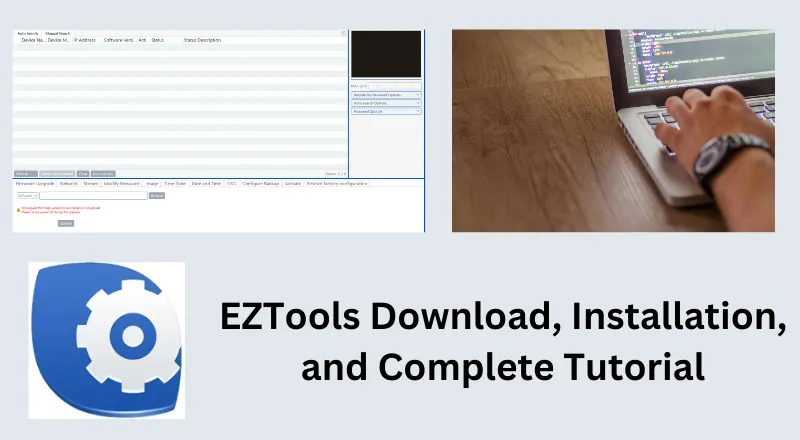
This post is a complete tutorial for the EZTools Download, installation, configuration, and its complete features. It will assist you in getting the EZTools Application, its installation, and full usage in an illustrative form.
Users and visitors will get the EZTools app’s best features, its application, and critical uses. All these things are demonstrated descriptively. This CCTV Tool is designed and developed by the Uniview Company.
The download button for the Configure Tool is shared here. Press the button and get it. The file is in a compressed format. Decompress it to get the link. It is provided here for the Windows OS.
What is the EZTools 2.0 Download Software?
EZTools is a device management tool. It is used to configure CCTV devices. This software is mainly used for Uniview (UNV) IP cameras, NVRs, and similar network devices.
It is used for various features, including device IP search, IP configuration, firmware update, ascertaining device ID & MAC ID, Network configuration, and device password modification, among others.
CCTV users and vendors use it mainly for the following purposes.
1- It is used to get the device on the network.
2- To configure devices in batches. We don’t require opening every device and apply the same features to them individually.
3- It can handle many CCTV cameras at once. It saves time and synchronizes all devices at once.
4- It makes long projects easier, gives accuracy, saves time, and reduces human mistakes.
What are the Best Features of the EZTools?
EZTools has the following best features and functions. These characteristics are mainly looked for and used.
- It is used to scan and discover CCTV devices and their IP addresses. You can use it automatically or manually.
- It scans the LAN and connects to all Uniview IP cameras and NVRs.
- It activates all Uniview CCTV devices. It can modify old passwords and secure devices.
- It can connect and modify devices in bulk. It can modify their IP addresses, subnet masks, gateways, and DNS.
- Batch configuration is possible through this tool. You can apply the same features to multiple devices through it.
- The EZTools can manage bitrate, frame rate, and device resolution. It can check the storage capacity of any camera.
- The tool is used to update the firmware and software of CCTV devices.
- It detects offline devices and identifies their root causes.
- Users can get detailed device information through this application.
These are some important features and uses of EZTools.
EZTools 2.0 Download for Windows
EZtools for Windows is a desktop utility designed to help users discover, configure, and manage compatible EZVIZ security devices from a Windows PC. It can be useful for users who need a convenient way to work with their cameras and network settings without relying only on a mobile app.
If you are looking for EZTools download for Windows, you can download the required setup file from the download section below. The software can be used on supported Windows versions, making it easier to configure and manage compatible EZVIZ devices directly from your computer. You can download it from the above link.
EZTools Download, Installation, Configuration, & Key Features
Here, we get the complete step-by-step analysis of these functions.
The EZTools Download button is shared. Press the button and get the Tool. It is in a compressed file format. Decompress it to install.
When you open it, you get the following page on the screen.
Step 1- EZTools Download & Installation
It is the first page of the software.
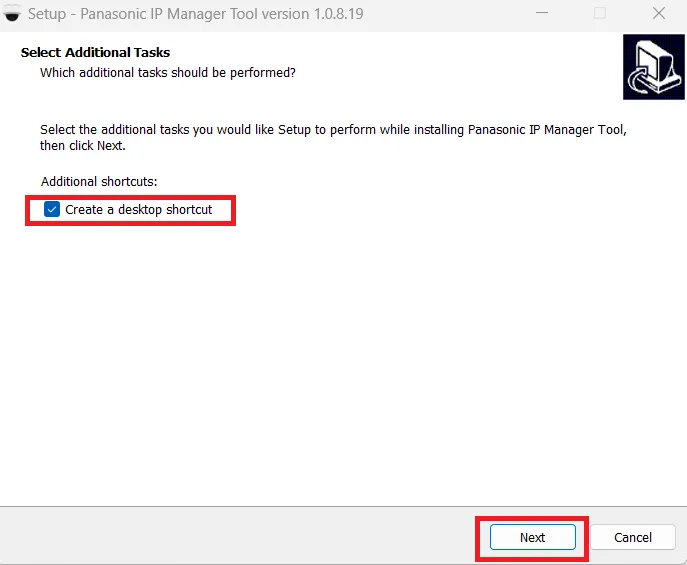
Select additional features as per the requirement and then press the Next button.
You get this window.
It shows that the file is ready to transfer its contents.
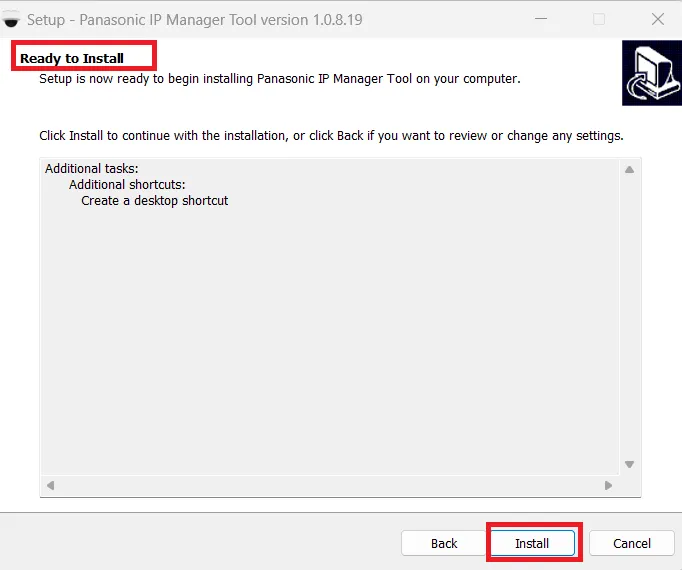
If you are satisfied with all the features and don’t want to make any adjustments, press the ‘Install’ button.
The application begins to download.
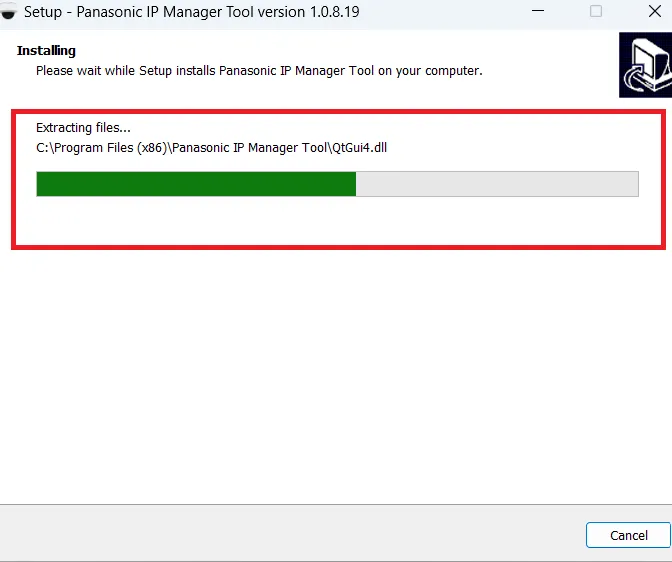
When the installation is completed, we see this page on the screen.
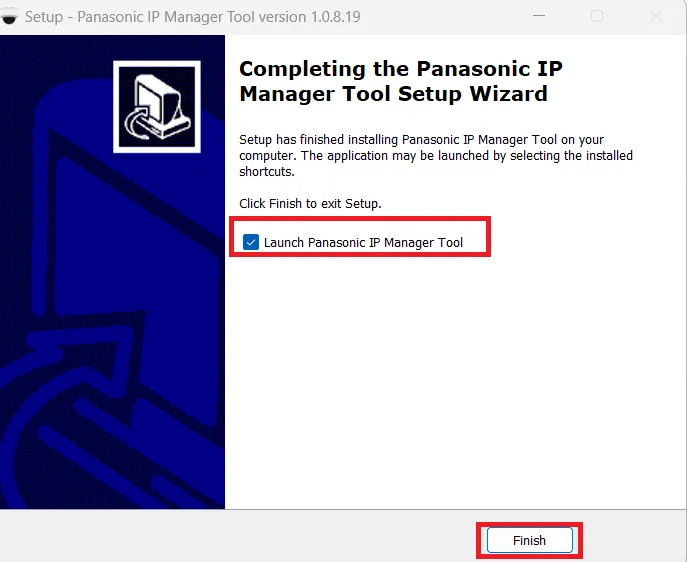
The Tool is installed successfully.
Through it, we can adjust and modify Uniview CCTV Devices.
Step 2- EZTools Operations
When the installation is completed, we get this page.
It is the interface of the Config Tool.
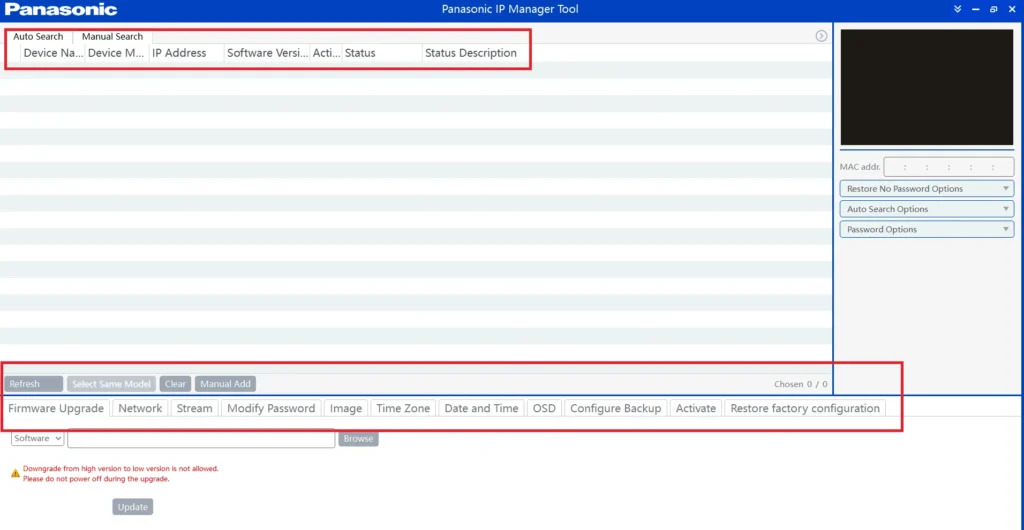
We can manage various options through it.
Auto Search – It scans and discovers all the IP cameras. Just connect the NVR through LAN and click the search button.
Manual Search – You can manually search for the IP camera and connect it to the system.
IP Address – The Tool can discover and modify the IP address of the UNV device without any difficulty.
Software Version – It discovers all the relevant information regarding the camera or the NVR. You can update the software too.
Firmware – The tool can individually or in batches update device firmware for better and improved performance.
Network Issues and Troubleshooting – Helps identify offline devices, IP conflicts, and network communication issues.
Batch Device Configuration – It can apply general and common settings like OSD, time, network, etc on many devices at a time.
OSD & Camera Naming Settings – It can manage the camera name, its OSD, time, resolution, bitrates, etc.
Storage Calculation Tool – It calculates the storage required after every setting for the camera. You can adjust it accordingly.
These are some of its key characteristics and features.
Conclusion
The EZTools download, how to use EZTools, or UNV IP Tool is detailed and described. Its full installation is illustrated. The complete usage is displayed.
Users, vendors, and owners can easily modify their UNV devices and improve their CCTV system by using the tool.
Kindly share if you require any additional information. We respond to all comments and queries.
Thank You.
What is EZTools?
EZTools is a Windows-based device management software mainly used for Uniview IP cameras, NVRs, and network devices to configure, manage, and maintain them.
Is EZTools free to use?
Yes. EZTools is completely free and provided by Uniview for device configuration and management.
Which devices are supported by EZTools?
EZTools supports Uniview IP cameras, Uniview NVRs, and
other UNV network devices.
Which operating systems support EZTools?
It officially supports Windows 11/10/8/7. It doesn’t support Mac OS or Linux.
Can EZTools detect devices automatically?
Yes. EZTools automatically scans the local network and detects all compatible devices with their IP, MAC, model, and status.
Do devices need to be on the same network?
Yes. Your PC and devices must be on the same LAN/subnet for EZTools to discover them.
Can I change IP addresses using EZTools?
Yes, you can change IP addresses, switch between DHCP & static, configure the gateway, subnet mask, and DNS.
Does EZTools support bulk IP configuration?
Yes. One of its strongest features is batch IP and network configuration for multiple devices at once.
Can EZTools upgrade firmware?
Yes, it upgrades firmware for a single device or multiple devices.
Can EZTools help in troubleshooting offline cameras?
Yes, it can. It helps to identify offline devices, IP conflicts, software versions, firmware mismatches, etc.
