
Dahua is a highly renowned global CCTV company. It is among the top two CCTV companies globally. Its surveillance products are extensively used in homes, businesses, industries, and institutions.
Owners can monitor their properties and people remotely through various Dahua CCTV Apps. Here, we will discuss all the Dahua Software for PC.
Dahua offers numerous PC software solutions for its IP cameras, DVRs, and NVRs. Different software gives different monitoring experiences. We need to select the most suitable one that serves our purposes. Collectively, these software meet our following requirements.
- Home monitoring
- Small business surveillance
- Multi-location management
- Enterprise-level security
This post will help you understand the Dahua CCTV software for PCs. We will discuss and detail the following apps here.

DMSS for PC
SmartPSS Lite
DSS Express

DSS Agile 8

Dahua DVR Software
We will elaborate on the most appropriate Dahua Software based on your surveillance requirements.
What is Dahua Software for PC?
Dahua offers a series of CCTV apps for security surveillance. Through these applications, we can monitor our locations, work, colleagues, pets, and family members. The software is designed and developed for remote surveillance via PCs.
With Dahua monitoring software, you can easily perform these functions.
- Dahua CMS Software gives you live feeds in real-time without any time lag. You can watch live camera feeds.
- Playbacks are possible on your PCs from anywhere. Access recorded footage and ensure safety and security.
- Control multiple devices. It can add and manage multiple CCTV devices at a time. It is an asset to arrange and monitor long sites.
- Through these apps, users can monitor from multiple locations. Properties and people are more secure as they are being monitored from different locations.
- You can configure devices, operate them remotely, and enjoy security & surveillance.
Whether you’re a homeowner or running a security system across multiple locations, Dahua has a solution for you.
Dahua Software List – Types of Dahua Monitoring Software
Dahua has many monitoring software. Broadly, we can categorise them into three segments.
1 – Basic Monitoring Software
These types of software are designed and developed for simple setups like homes, offices, or small businesses.
2 – CMS (Central Management System)
These apps are used on computers. Through them, we can arrange, manage, and monitor multiple cameras, locations, and sites on Computers from anywhere.
3 – Enterprise Software
These kinds of apps are designed for large-scale deployments with advanced control and analytics.
We will discuss them in detail here for a basic level understanding.
Dahua CCTV Software for PC
We will now look into these applications for real-time monitoring.
1 – DMSS for PC (Best for Beginners)
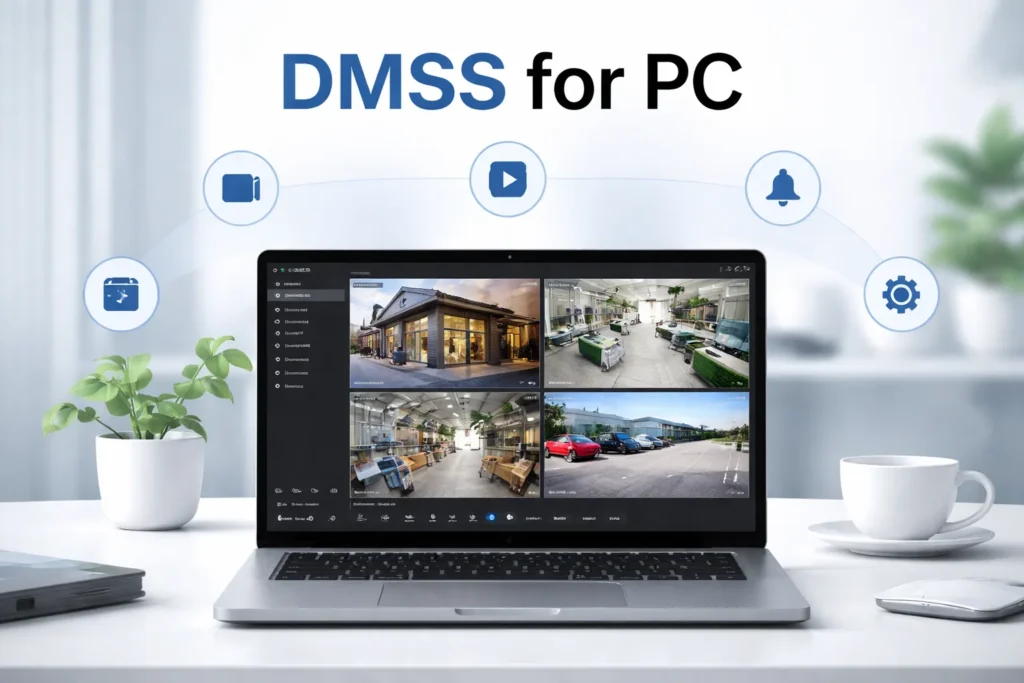
The DMSS App is a CCTV app from Dahua for monitoring its CCTV devices. DMSS is the acronym of Dahua Mobile Security Surveillance. Through this CMS App, users can directly manage and control their security systems on computers.
It provides real-time video streaming, playback, and device management for cameras, recorders, and other Dahua surveillance devices. It offers features like remote access, motion alerts, aut-tracking, two-way audio, and multiple device operation at a time from anywhere.
This application is designed and developed for users who want instant connection and remote surveillance of their homes and businesses.
Key Features
Some of its key features are as follows.
- Live camera streaming – Get your video feeds in real time.
- Playback recordings – You can access playbacks on your computer irrespective of your location. You can watch recordings and take snapshots.
- Push notifications – It detects motions and issues alert signals and messages for enhanced security.
- Cloud-based access – Owners can keep their camera data on cloud servers for preservation. They are mentally free from data overwrite or stealth.
- Easy QR code device setup – This app is easy to operate. It easily adds devices through scanning of the device’s QR Code.
Pros
- The app can be easily used by beginners. It is very easy to use.
- Its setup is easy. You do not require any special technical skills for its installation and configuration.
- This CMS App is ideal for remote monitoring.
Cons
- No native Windows/macOS version
- Limited features compared to CMS software
- Good for homes, offices, and small units. Not ideal for managing multiple systems.
Best For
- This app is the best for monitoring Homes, offices, small units, and businesses.
Pro Tip
If you want to upgrade your surveillance from the basic DMSS setup, go for the SmartPSS Lite. You will prove it to be a smart move.
Complete Guide – DMSS for PC
2 – SmartPSS Lite (Most Popular Dahua PC Software)
This SmartPSS Lite CMS App is used extensively for monitoring Dahua Systems. The SmartPSS Lite means Smart Professional Surveillance System, Lite. This software is designed and developed for monitoring and controlling security devices from a PC.
Through this application, you can enjoy live feeds, multiple device operation, remote surveillance, playbacks, and motion alerts. It helps you communicate two-way, also. It is designed for simplicity and efficiency.
SmartPSS Lite is an ideal solution for small to medium-scale surveillance setups. It supports almost all Dahua Cameras, DVRs, and NVRs. It gives smooth performance and no hassles. Since it is a Lite version, its uploading, installation, and operation are easy.
Key Features
- Multi-camera live view – Real-time view, no issue.
- Playback and recording – Can check recordings from anywhere at any time.
- Device grouping – You can create batches for device management and surveillance.
- Alarm and event notifications – It senses motion and audio. Issues alert warnings detecting threats.
- Basic user management – It is easy to operate. Any beginner or novice can handle it properly.
Pros
- The app is lightweight and stable.
- Its user interface is Beginner-friendly.
- Works well on most PCs.
- This software is designed for PCs. It is a native software. No need for any emulator.
Cons
- Lacks enterprise-level features
- Limited scalability
- No advanced analytics
Best For
- It is best for small to medium businesses and home units.
- Medium to large level office surveillance.
- Can monitor on Windows and Mac OS. It is fit for PC-based monitoring.
Real Use Case
If you have 4–16 cameras in an office or shop, SmartPSS Lite is usually the best choice.
Complete Guide – SmartPSS Lite
3 – DSS Express (Advanced CMS for Professionals)

DSS Express is a CCTV App by Dahua. DSS Express stands for Dahua Security Software Express. It is a lightweight, all-in-one Video Management System (VMS) or Central Management System (CMS).
This system is designed for small to medium-sized security surveillance units and projects. Through this Dahua surveillance software, we manage Dahua CCTV CCTV devices, including IP cameras, NVRs, and DVRs.
It has monitoring features like live relay of events, device management & operation, multiple channel viewing, multiple user management, PTZ management, motion detection, etc.
Key Features
- It offers a centralised device management system.
- Multi-user access with permissions. You can develop and design a multi-level monitoring system.
- Advanced event handling. It offers advanced features like bidirectional communication and alert notifications.
- Alarm integration against suspicious activities.
- Remote playback and monitoring.
Pros
- The app is highly scalable. You add multiple cameras and users.
- Suitable for professional use.
- Supports large camera networks.
- Advanced surveillance features for comprehensive and foolproof security.
Cons
- A complex setup for beginners.
- Requires higher system resources.
- For comprehensive monitoring usage, users need to understand its operations.
Best For
The app is more appropriate for users like security professionals, large businesses, and multi-location setups.
Complete Guide – DSS Express
4 – DSS Agile 8 (Enterprise-Level Security Platform)
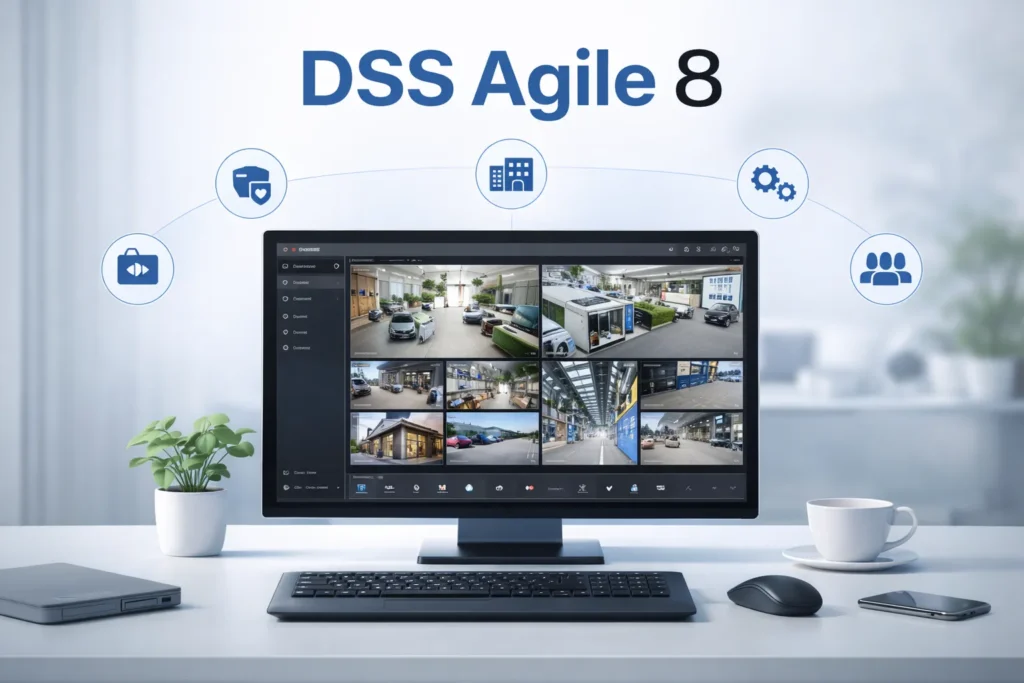
DSS Agile 8 is Dahua’s next-generation software for monitoring enterprises and large-scale units. It is a professional-grade CCTV App. DSS Agile 8 is the acronym for Dahua Security System Agile version 8. It is designed for advanced security operations with intelligent management features.
It offers centralised control of multiple devices and locations, including cameras, NVRs, and access control systems. DSS Agile 8 supports a high level of analytics, multiple channel monitoring, and real threat alerts.
Key Features
- It serves intelligent AI-based analytics for a high level of security and surveillance.
- Centralised cloud management. Camera feeds are always safe.
- High scalability. It supports industrial and institutional projects.
- Remote access is possible. It gives real-time alerts and monitoring.
- It integrates well with advanced systems.
Pros
- It provides enterprise-grade performance.
- The CMS App has a future-ready architecture.
- The app supports large-scale surveillance.
- The app has advanced security features like motion detection, two-way audio, device operation, and cloud features.
Cons
- It is a bit expensive. The setup is not completely free.
- It requires technical expertise. Beginners face challenges to operate it properly.
- Requires overkill for small users.
Best For
This DSS Agile 8 is the best for –
- Corporations
- Government projects
- Smart city surveillance
If DSS Express feels limited, DSS Agile 8 is the next upgrade.
Complete Guide – DSS Agile 8
5 – Dahua DVR Software for PC (Classic Monitoring Option)
The Dahua DVR Software for PC is a basic PC software used to connect and monitor Dahua DVR systems. It is a simpler alternative compared to CMS tools. It is used to manage and monitor digital video recorders efficiently.
It offers features like remote access, motion detection alerts, and multi-channel viewing. The software enhances overall surveillance control. It is good for consumer-level and professional-level monitoring systems.
Key Features
- Live DVR feed – Gives videos in real-time without any time lag.
- Playback recordings – You can check recordings and take snaps.
- Basic device control – It manages Dahua surveillance devices and gives real monitoring.
- Easy connection setup – Its download, installation, and operation is simple.
Pros
- This Dahua DVR Software application is simple and lightweight.
- It is easy to configure.
- Works well with older systems. No need to replace your older Dahua DVRs.
Cons
- It is free so It has limited features.
- No advanced management
- Not scalable. Can’t be used for multiple cameras on large scales.
Best For
The application is best for old DVR setups. It is good for basic monitoring needs.
Complete Guide – Dahua DVR Software for PC
Comparison – Which Dahua Software Should You Choose?
This table will guide you to a proper CMS selection.
| DMSS App | Home users | Basic | Good for Beginners |
| SmartPSS Lite | Small business | Medium | Good for Beginners |
| DSS Express | Professional use | Advanced | Good for Beginners and Professionals |
| DSS Agile 8 | Enterprise | Expert | Good for Professionals |
| DVR Software | Basic systems | Basic | Good for Beginners |
Select Dahua Monitoring Software
It will help you in the app selection.
Choose DMSS if
- You want a mobile-like experience on PC
- You’re a beginner
Choose SmartPSS Lite if
- You want full PC control.
- You have multiple cameras.
Choose DSS Express if
- You manage multiple locations.
- You need centralised control.
Choose DSS Agile 8 if
- You run large-scale security systems.
- You need AI and automation.
Conclusion
Dahua offers a complete range of software. It has CMS software for beginners and professional users. All the key Dahua CCTV Apps are detailed and discussed here. It will help you select the most suitable app for your requirements.
Use these apps for real-time and remote monitoring of your locations and people. You can alert them, support them, secure them, and surveil them.
Kindly share your suggestions and comments regarding the topic. Also, share your queries if any. We engage in all kinds of support systems. We respond to our visitors and guests.
Thank You.
What is DMSS for PC?
DMSS (Dahua Mobile Surveillance Software) is a surveillance application developed by Dahua that allows users to monitor CCTV cameras, NVRs, and DVRs remotely.
Can I install DMSS directly on a PC?
DMSS does not have an official standalone PC version. However, you can run it on a PC using Android emulators like BlueStacks.
Is DMSS free to use?
Yes, DMSS is completely free to download and use. However, some advanced features may depend on your Dahua device capabilities.
Does DMSS support remote viewing?
Yes, DMSS allows remote viewing of live video and playback from anywhere using an internet connection.
Is DMSS safe to use?
Yes, DMSS is generally safe when downloaded from official sources. Always use strong passwords and keep your devices updated for better security.
What is SmartPSS Lite?
SmartPSS Lite is a simplified version of Dahua’s SmartPSS software designed for basic video surveillance tasks such as live viewing, playback, and device management on a PC.
Who should use SmartPSS Lite?
SmartPSS Lite is ideal for home users, small businesses, and beginners who need simple CCTV monitoring without advanced or complex features.
What devices are compatible with SmartPSS Lite?
It supports Dahua IP cameras, DVRs, NVRs, video intercom systems, and some third-party ONVIF-compatible devices.
Can I view live camera feeds on SmartPSS Lite?
Yes, SmartPSS Lite allows real-time live viewing of multiple camera channels on your PC with customizable layouts.
What is DSS Express?
DSS Express is a professional video management system (VMS) developed by Dahua Technology for small to medium-sized surveillance projects.
Who should use DSS Express?
DSS Express is ideal for small businesses, offices, schools, and retail stores that need a centralized and scalable CCTV management system.
What devices are supported by DSS Express?
It supports Dahua IP cameras, DVRs, and NVRs. It also supports some ONVIF-compliant third-party products.
Does DSS Express support remote access?
Yes, users can access live video, playback recordings, and manage devices remotely via a network or the internet.
Is DSS Express suitable for large enterprises?
No, DSS Express is designed for small to medium setups. For large-scale enterprise solutions, DSS Pro or DSS Agile is the more suitable option.
What is DSS Agile 8?
DSS Agile 8 is an advanced CCTV application designed to work with DSS Express and DSS Pro. It allows users to monitor, control, and manage surveillance systems remotely
What is DSS Agile 8 used for?
It is used for remote CCTV monitoring, device management, alarm notifications, and accessing surveillance features from a smartphone, tablet or PC.
What features does DSS Agile 8 offer?
Key features include live video view, playback, alarm notifications, intelligent search, access control, and video intercom functions.
Can I view live cameras on DSS Agile 8?
Yes, DSS Agile 8 supports real-time live viewing of cameras connected to DSS server.
Is DSS Agile 8 suitable for large surveillance systems?
Yes, DSS Agile 8 is designed to work with scalable DSS platforms, making it suitable for both small setups and enterprise-level surveillance when connected to DSS Pro or DSS Express servers.
Is there official Dahua software for PC?
Yes, Dahua provides PC software like SmartPSS and SmartPSS Lite for managing DVR systems.
What features does Dahua DVR software offer?
It includes live video monitoring, playback, device management, alarm configuration, and video wall support, making it a complete surveillance solution.
Can I view my DVR remotely on a PC?
Yes, Dahua DVR software allows remote viewing via internet connection using IP address, domain, or device serial number.
Is Dahua DVR software free?
Yes, Dahua provides its PC software for free.
