
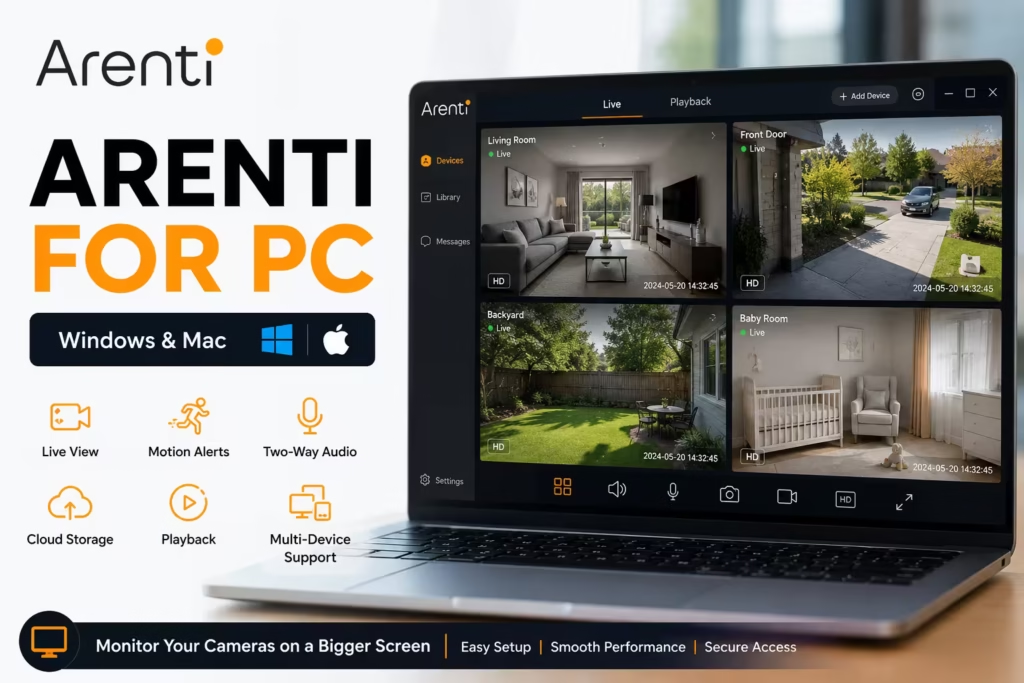
Arenti for PC is a computer software application, and it is used to connect Arenti’s cloud-based security cameras to your laptop or computer. Basically, with this software application, you can monitor your smart home security system in real time, and it also offers many features, which we will discuss one by one.
Before moving forward, download it using the button below. Keep in mind that the applications we provide are completely authentic, and we test them on our own various systems beforehand.
Arenti for PC Information
Before we move on, let’s learn a little bit about it and find out what kind of application it is.
| App Name | Arenti |
|---|---|
| Category | Security & Surveillance |
| Developer | Arenti Technology |
| Latest Version | 39-1.0.5.20250411 |
| Compatible With | Windows 11, 10, 8, 7 |
| Installation Method | Software Application |
| License | Free |
| Camera Support | Arenti Smart Cameras |
| Mobile App | Arenti |
System Requirements for Arenti Software
There are some requirements that are necessary for its installation, so let’s understand them clearly beforehand so that you don’t face any issues.
| Component | Minimum Requirements | Recommended Requirements |
|---|---|---|
| Operating System | Windows 7, 8, 8.1, 10, 11 (64-bit) | Windows 10 or Windows 11 (64-bit) |
| Processor | Intel or AMD Dual-Core CPU | Intel Core i5/i7 or AMD Ryzen 5+ |
| RAM | 4 GB | 8 GB or Higher |
| Storage | 5 GB Free Disk Space | 10 GB SSD Free Space |
| Graphics | Integrated Graphics | Dedicated GPU or Modern Integrated Graphics |
| Internet | Broadband Connection | High-Speed Broadband Connection |
| Display Resolution | 1280 × 720 | 1920 × 1080 (Full HD) |
What is the Arenti App?
Arenti (Hangzhou Arenti Technology Co., Ltd.) is a smart home security brand that specializes in DIY, cloud-based surveillance products. They focus on manufacturing affordable, AI-powered smart cameras and monitoring systems for home and property security.
Key Features of Arenti for PC
- Live video monitoring from connected cameras
- Motion detection notifications
- Two-way audio communication
- Cloud video storage support
- Video playback and event history
- Multi-device management
- Remote camera access from anywhere
- HD video streaming
- Night vision monitoring support
- Device sharing with family members
Installation of Arenti on Windows
So after downloading, unzip it on your system and double-click the unzipped file. The system will ask for your permission to install it. Click ‘Yes’ and move forward.
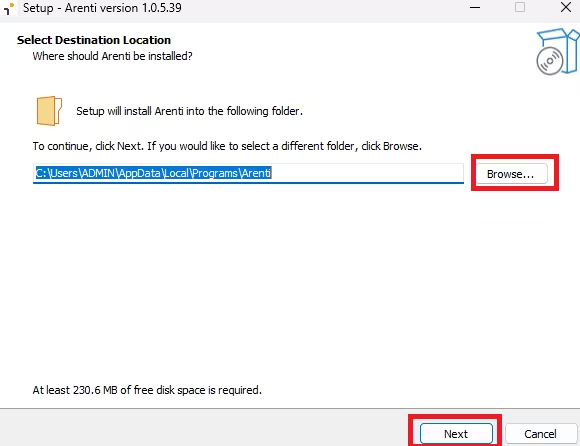
The first screen that appears before you allows you to change its installation directory. If you don’t want to change it, just leave it as it is and click ‘Next’.
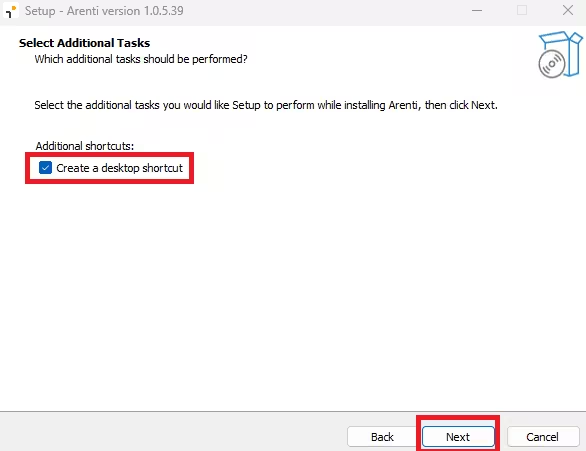
The next screen will ask you if you want to create a ‘desktop icon.’ If you want to create one, just check the box and click ‘Next’.
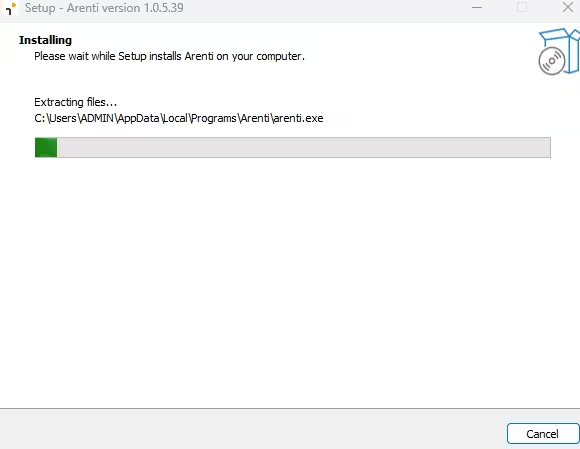
Now the installation has started. Wait a little bit for it to finish.
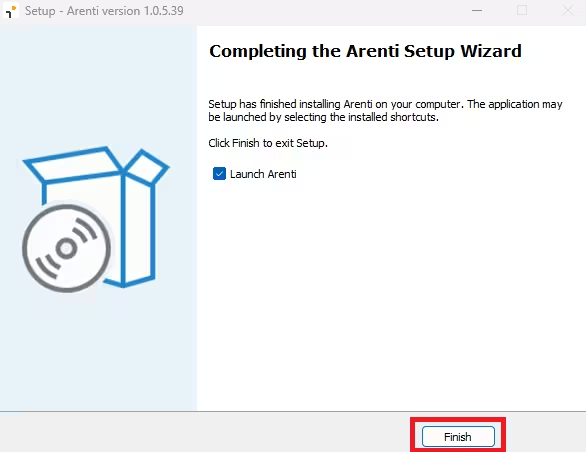
The installation is now complete. Click ‘Finish’ and launch the software on your system.
Log In to Arenti
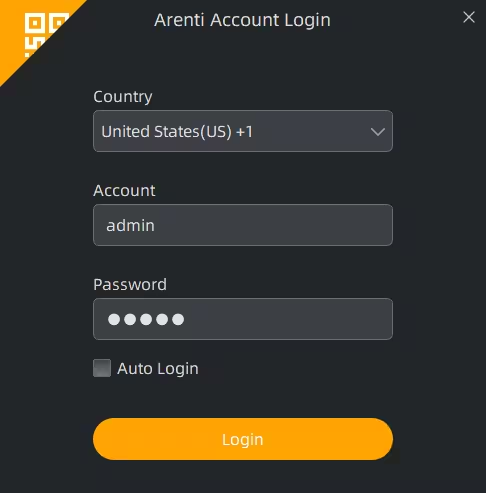
After the installation is complete, a login screen will appear before you. On this screen, you just need to select your country. After that, enter your username and password. This username and password will be for your camera account—just log in and watch the live view of your cameras right on your computer screen.
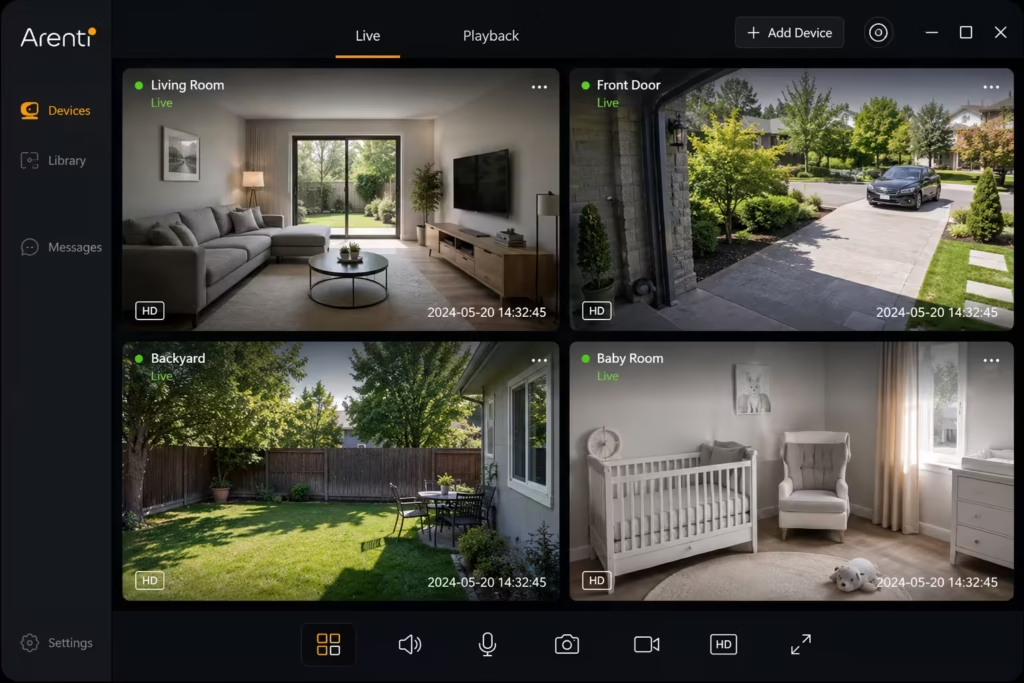
After logging in, the live view of your cameras will be right in front of you.
Testing Notes
- Tested installation on Windows 11 and Windows 10.
- Verified app download from the official source.
- Live camera viewing and playback functions tested successfully.
- Stable performance observed on 8 GB RAM systems.
- Compatible with most modern Intel and AMD processors.
Conclusion
Arenti for PC makes it easier to monitor your security cameras from a larger screen without relying solely on a smartphone. With live viewing, motion alerts, video playback, two-way audio, and device management features, users can conveniently access their cameras from Windows.
You have the official Arenti setup file. Simply install the software, sign in to your account, and start monitoring your cameras with a more comfortable desktop experience. Whether for home or business surveillance, Arenti provides a reliable way to keep an eye on your property directly from your computer.
FAQs
Is Arenti free to use?
Yes. The application is free to download and use, although some cloud storage features may require a subscription.
Can I watch multiple cameras at once?
Yes. Arenti supports viewing multiple connected cameras within the same account.
Can I use Arenti on Mac?
Yes. Arenti can be installed on Mac computers using Android emulators that support macOS.
